For project managers, accessibility can often feel like an invisible layer of complexity. Between sprint deadlines, competing priorities, and compliance pressure, keeping accessibility work on track — while ensuring accountability and measurable outcomes — can be difficult.
accessFlow makes accessibility a first-class part of your project lifecycle.
It centralizes accessibility data, connects your teams’ existing tools, and brings automation and AI into the process — helping you stay on schedule, allocate resources effectively, and demonstrate consistent progress toward compliance.
With accessFlow, project managers get a complete picture of accessibility across all projects, backed by actionable insights, transparent metrics, and seamless coordination between dev, QA, and leadership.
In this guide, you’ll learn how to
- Monitor accessibility posture and progress through the Dashboard
- Manage accessibility tasks directly from the Explore page
- Prioritize and delegate effectively with AI validation and auto-resolve
- Measure accessibility progress across sprints and releases
- Connect accessFlow with Jira, GitHub, and monday.com for unified visibility
- Leverage accessFlow’s newest features, including its SDK AND MCP integration
accessFlow: your accessibility management command center
accessFlow is designed to make accessibility progress clear and manageable across all teams. It brings automation, structure, and real-time insight to every stage of the development process — ensuring no task slips through the cracks, no issue goes unseen, and no sprint ends without measurable progress.
For project managers, accessFlow means you can:
- Track progress across projects with a clear, visual dashboard
- Coordinate ownership by assigning and monitoring issues
- Report compliance metrics to stakeholders with confidence
- Automate repetitive tasks to keep teams focused on higher-impact work
Let’s take a look at each area of the platform:
The Dashboard: visibility at a glance
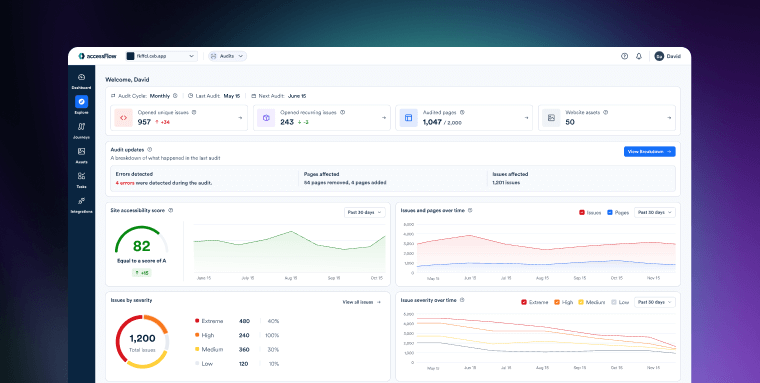
The Dashboard is your single source of truth for accessibility progress. It shows real-time data on your site’s accessibility posture — including issue counts, remediation trends, and progress over time.
You’ll see how many issues have been resolved, which ones are recurring, and how different projects compare. Trend graphs help you visualize momentum: when accessibility efforts are accelerating and where regressions might need attention.
The Explore page: organize, prioritize, and assign
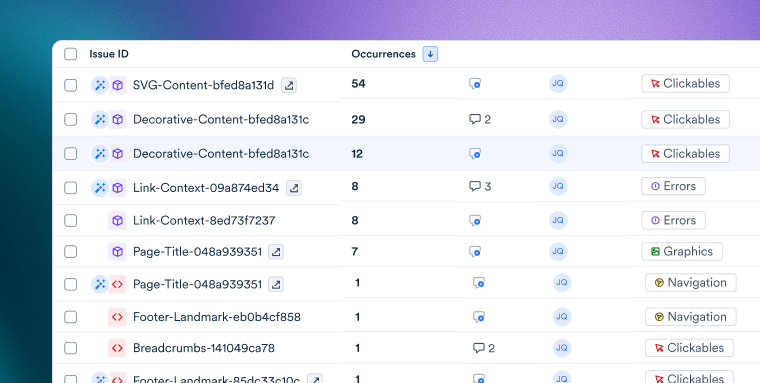
The Explore page gives you a deep view into the specific accessibility issues detected by automated audits. Here, project managers can sort, filter, and group issues by severity, frequency, WCAG rule, or category — making it easy to structure remediation workflows and distribute work based on expertise or urgency.
Every issue includes full context: what it is, why it matters, and who’s responsible. You can assign tasks, add internal notes, and sync updates with Jira, monday.com, or GitHub — ensuring accessibility remains part of your standard project rhythm.
You’ll also see which issues are auto-resolvable — repetitive, low-complexity problems that can be handled automatically using accessFlow’s AI engine. With a few clicks, you can clear dozens of issues in bulk while maintaining full auditability.
MCP, SDK, and Auto-resolve: the features that keep your team moving
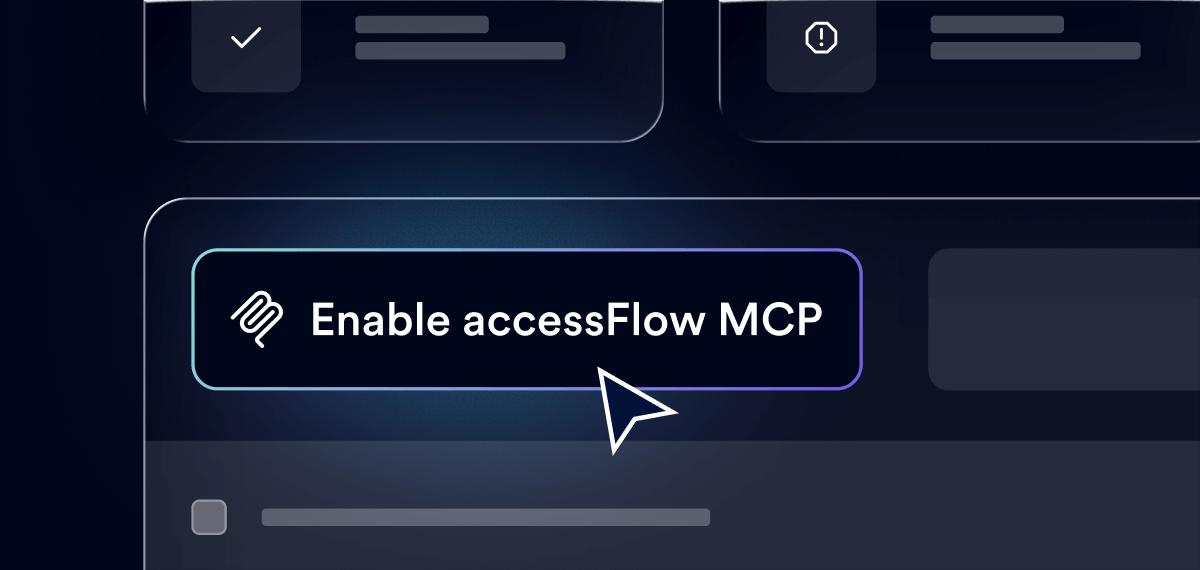
accessFlow doesn’t just surface issues — it empowers teams to resolve them faster and smarter. Whether your goal is to reduce backlog, catch problems earlier, or align dev and QA more closely, these features combine automation and intelligence to help your projects move forward without compromise.
accessFlow SDK and MCP: integrate accessibility into your pipeline
As projects scale, coordination between QA and dev becomes critical. The accessFlow SDK embeds automated accessibility scans into CI/CD pipelines — ensuring accessibility testing happens continuously, not reactively. Teams catch issues early, before they ever reach production.
At the same time, the MCP (Model Context Protocol) connects accessFlow directly to developers’ IDEs and AI assistants, like GitHub Copilot and Cursor. Developers can get instant, contextual accessibility guidance, while PMs retain full visibility over progress through the Dashboard and Explore page.
Together, these integrations help project managers keep accessibility aligned with delivery — early, fast, and frictionless.
Auto-resolve and AI validation: scale efficiently, maintain control
accessFlow’s auto-resolve feature lets your team tackle recurring accessibility issues — like missing labels or contrast errors — in seconds, without touching source code. For project managers, that means faster progress reports, shorter backlogs, and fewer manual tickets.
Meanwhile, AI false-positive validation ensures accuracy. If an issue flagged by an automated audit isn’t a real accessibility error, accessFlow’s AI can verify it automatically. That means cleaner reports, fewer distractions, and sharper prioritization across your sprint board.
The compliance pressure is real — accessFlow makes it manageable
Accessibility compliance isn’t a nice-to-have anymore. For most organizations, it’s a legal, reputational, and operational mandate. The challenge for project managers is translating those regulations — ADA, EAA, WCAG 2.1 — into daily, actionable progress without derailing release cycles.
accessFlow bridges that gap. It transforms compliance from a checklist into a continuous, measurable process. You’ll always know where your projects stand, what’s been fixed, and what’s next — complete with data you can show to leadership or auditors at any time.
If you’re ready to bring clarity, accountability, and confidence to your accessibility projects, accessFlow is built for you.
Frequently asked questions about accessFlow for project managers
Q1. What is accessFlow and how does it help project managers?
A1. accessFlow is an accessibility management platform that helps teams identify, track, and remediate accessibility issues in alignment with WCAG. For project managers, it provides real-time visibility, structured workflows, and coordinated oversight across dev, design, QA, and leadership. This turns accessibility into a predictable, measurable part of every sprint.
Q2. Who is accessFlow designed for?
A2. accessFlow supports project managers who need clarity and accountability, developers who require actionable remediation guidance and suggested code, and team leads or engineering managers who need visibility across projects and long-term accessibility posture. Its dashboards, workflow tools, and integrations allow cross-functional teams to collaborate around shared accessibility goals.
Q3. How does accessFlow integrate with project management tools?
A3. accessFlow connects with Jira, monday.com, and GitHub to streamline remediation workflows. Issues detected by automated audits can be synced, assigned, and tracked within your existing processes so accessibility work stays aligned with your standard sprint rhythm and doesn’t require duplicate tracking.
Q4. Can project managers use accessFlow without technical experience?
A4. Yes. accessFlow’s dashboards, filters, and issue descriptions are designed to be approachable for non-technical users. Project managers can oversee posture, assign tasks, track trends, and monitor progress without needing code-level expertise.
Q5. How does auto-resolve improve project timelines?
A5. Auto-resolve helps clear recurring, low-complexity issues automatically, which reduces manual effort for developers and shortens backlogs. This supports smoother sprints while keeping all automated changes fully transparent and auditable.
Q6. How do the SDK and MCP benefit project managers?
A6. The accessFlow SDK brings accessibility checks into CI/CD pipelines, allowing teams to catch issues earlier and reduce last-minute blockers. MCP integration provides developers with contextual accessibility guidance directly in their IDE or AI assistant. Together, these integrations create smoother handoffs, fewer regressions, and consistent visibility for project managers.
Q7. How does accessFlow support compliance reporting?
A7. accessFlow includes real-time dashboards, historical audit trends, and exportable reports that reflect ongoing accessibility progress. These tools help teams demonstrate continuous improvement toward ADA compliance and adherence to WCAG guidelines, supported by clear and transparent metrics.